
Once you have created a trend line monitoring folder, you can add trend lines or trend channels for trend line monitoring for any security. The "Character properties" dialog box contains a selection list of the trend line monitoring folders that have been created.
-
Draw the trend lines or trend channels on the chart.
-
Add your line to the trend line monitoring by first activating the "Trend line" checkbox.
-
All trend line monitoring folders defined in the Explorer are displayed in the "Trend line monitoring" field. Assign the new trend line to one of these folders.
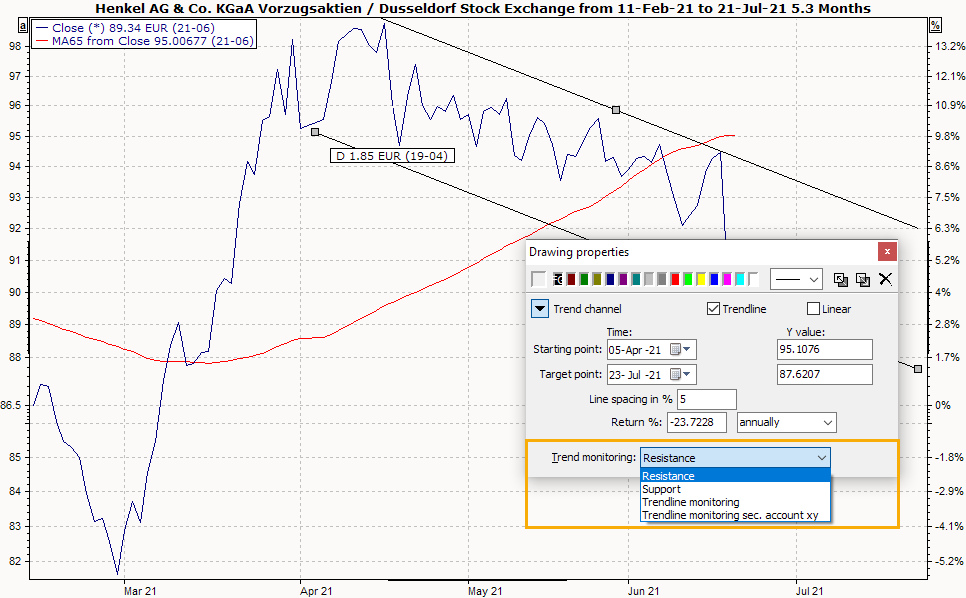
-
After saving the trend line, the new trend line is monitored for breakthroughs via the trend line monitoring folder.
Trend line monitoring must always be started manually; automated evaluation after reading in the price data is not possible. Read the following section Start evaluation of trend line monitoring.