
To change the display format of a column (with time series formula) to "Thumbnails", select the DISPLAY, THUMBNAILS command in the context menu of the column. For configuration, select the command PRESENTATION, FORMAT.
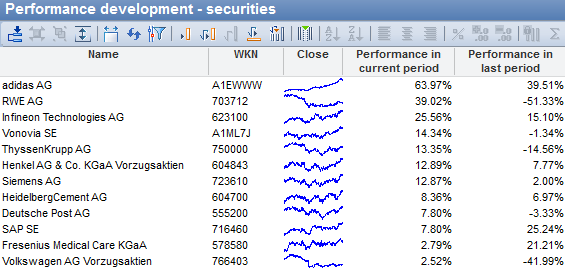
The "Display" dialog box appears, in which you can define the form of display on the "Thumbnails" tab.
The following settings are possible:
|
Command |
Description |
|---|---|
|
Color |
Set the color of the thumbnails here. |
|
Display period |
Set the display period in days here. |
Confirm your settings with "OK" or select "Cancel" to discard the settings and close the dialog box.
The display as a "thumbnail" only works if there is a time series function behind the column as a formula, e.g. "Close".