
Portfolio Service Investment Agent" module or "Portfolio Service Rebalancing" module
In the settings for portfolio rebalancing, you can specify that depositories are also displayed in the position overview if there is only one relevant depository for securities in a securities account. To do this, activate the "Always show existing storage locations" checkbox in the settings .
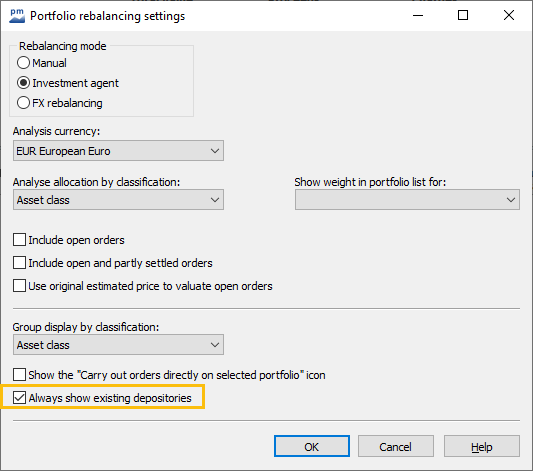
Assigned storage locations are always displayed in the item overview if the checkbox is activated.
Unknown Attachment
In this example, the securities in the portfolio are assigned either to none or to the "100 1000000" depository. For the securities in this storage location, the storage location designation is displayed in the item overview if the "Always display existing storage locations" checkbox is activated.