
You can set a variety of parameters for each indicator, from the display color to the type of display and the calculation methods.
-
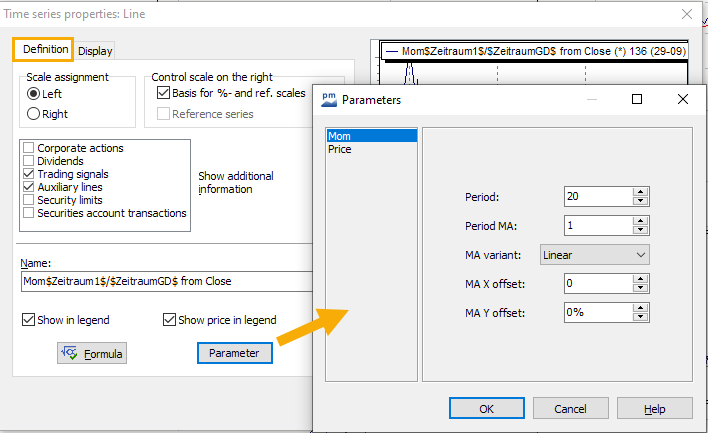
Double-click on the name of the indicator in the legend (or on the trend) to open the "Time series properties" dialog box.
-
Switch to the "Definition" tab.
-
Select the "Parameters" button. The dialog window for changing the indicator calculation opens.
-
You can find detailed explanations of the technical indicator parameters in the section List of indicators.
-
To delete the indicator, select the history with the mouse and press the <ENTF> key or select the DELETE command in the context menu.
-
You can easily add indicators that you have changed in the chart to the pull-down menus. Select the command ACCEPT AS FORMULA ELEMENT... in the context menu of the indicator. Please read the section Chart form elements.