
When saving an order session in portfolio rebalancing, any restriction violations are also saved with the orders. These take into account the different levels at which these restrictions can be assigned - portfolio, owner and (possibly several) group levels. All restrictions are displayed in the order book. They can be checked and provided with comments. The following information is available in this context:
-
Number of restrictions violated
-
Number of stock restrictions violated
-
Number of quota restrictions violated
-
Number of restrictions checked
-
Number of stock restrictions checked
-
Number of quota restrictions audited
-
Are all violated restrictions commented on?
Storage locations are also taken into account.
If violated and commented restrictions are removed and the order session is saved again in portfolio rebalancing, they will no longer be displayed in the order book.
This information can also be queried via MM-Talk and can therefore be used, for example, when configuring release processes.
The restrictions associated with the orders are also taken into account in Change tracking in the order book .
You will also find the "Restriction checks" column in the order book. This uses symbols to show directly whether orders violate restrictions:
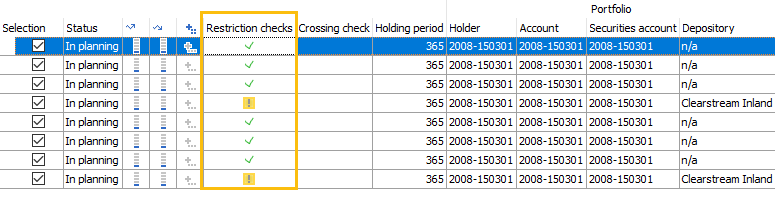
The meaning of the symbols in the "Restriction checks" column:
-

-

The following section Display restriction checks for an order in the order book explains how you can display and, if necessary, comment on the restriction checks.