
Portfolio service change log" module
Proceed as follows (after the activation via the database tooldescribed above) to open the change log with all data:
-
Select the "Show change log" icon on the "Data maintenance" tab.

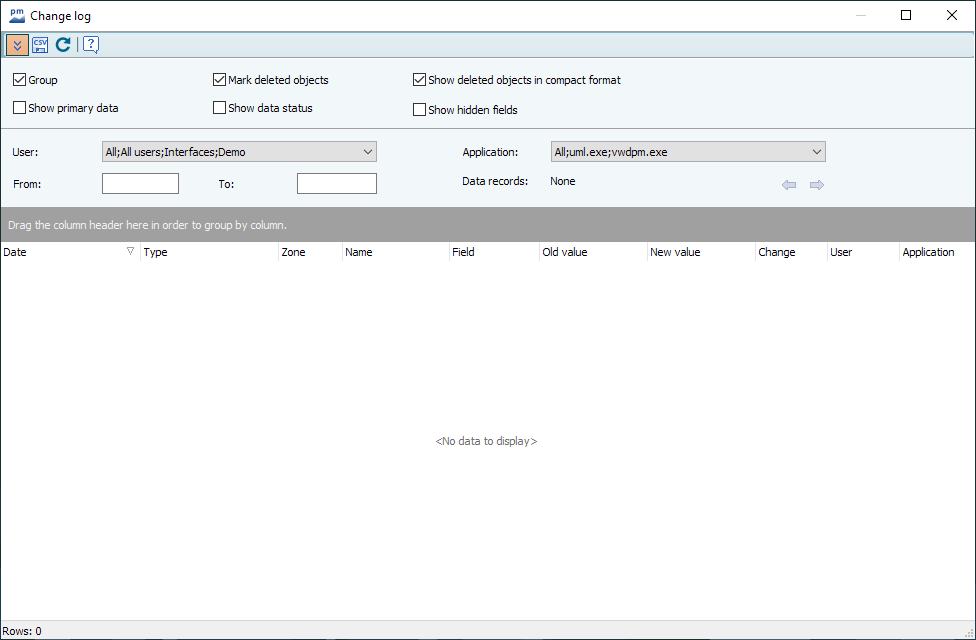
The change log opens.
-
Configure the view in the upper area of the dialog box. For information on the individual functions, please refer to the following section Details on the change log.
-
If necessary, select the user from the "User" selection list.
-
If necessary, select the desired program from the "Application" list.
-
Set the desired period in the "From" and "To" fields.
-

The "Show change log" icon is only visible in the ribbon if change tracking has previously been activated using the database tool.