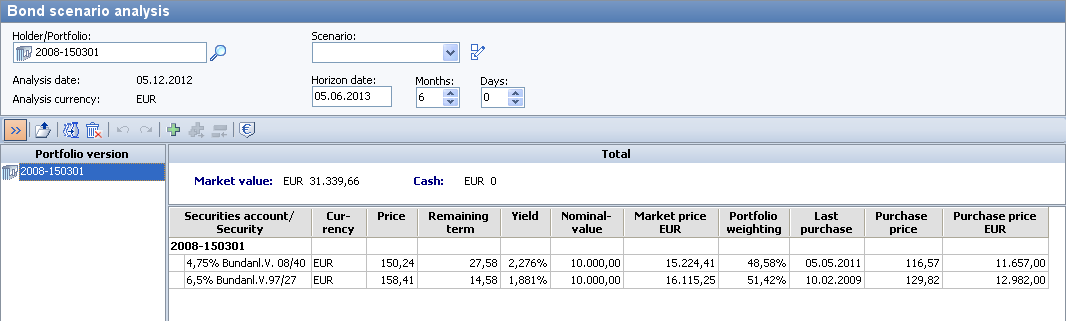
Bond scenario analysis" module
Once you have started the analysis tool, click on the "Next" button to open the main "Bond scenario analysis" window, which consists of three areas and a toolbar:
-
Parameterization panel (top)
-
Portfolio variant tree (bottom left)
-
Portfolio view (bottom right)
-
Toolbar for editing portfolios and opening Evaluations of the scenario analysis (horizontal)