
The Infront Portfolio Manager offers you the option of sorting tables according to up to 5 criteria (multi-level). Proceed as follows:
-
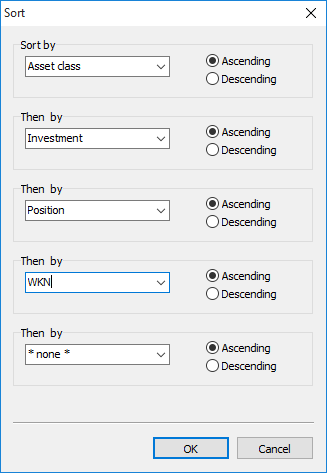
Select the SORT... command in the menu of the "View options" icon on the "Table" tab. The "Sort" dialog box opens.
-
Select up to 5 columns from the drop-down lists according to which you want to sort the table. You can specify separately for each column whether it should be sorted in ascending or descending order.
-
Confirm your settings with "OK". The table is rebuilt immediately.