
The "Price overview" evaluation is a table that lists the most recent close, high, low and open prices for all securities in the input object (e.g. a folder or filter from the Explorer) on the evaluation date.
You can find the course overview in open workspaces (e.g. folders or filters) on the "Securities" worksheet.
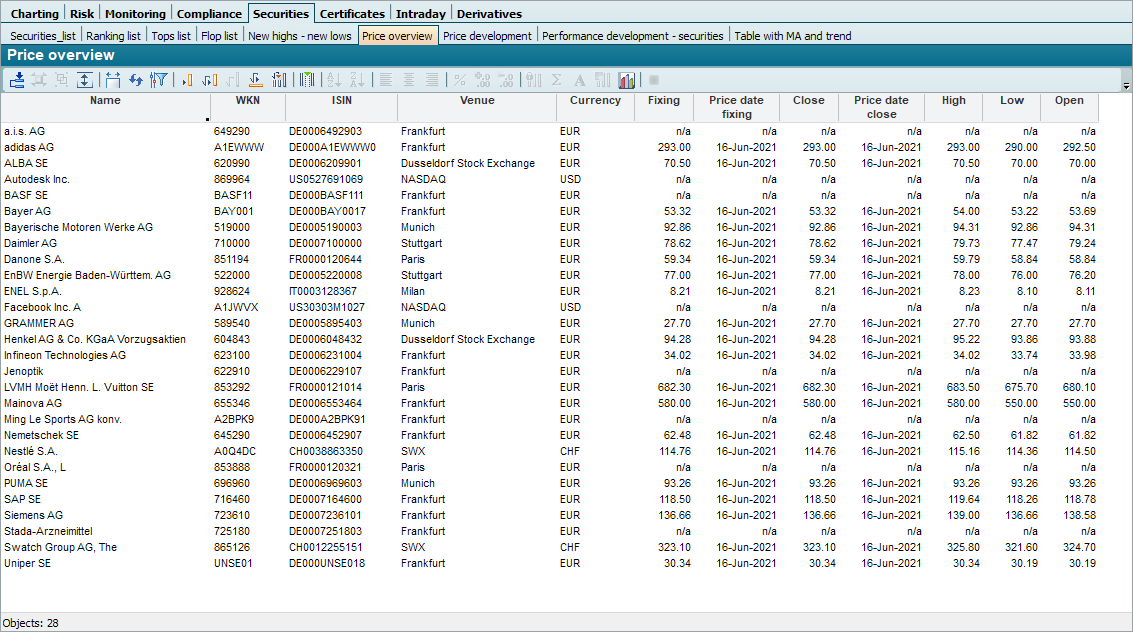

Double-click on a column heading to sort the table by this column. To edit Tables , read the chapter of the same name if necessary.
Parameters of the course overview

The course overview has the following parameters:
|
Parameters |
Description |
|---|---|
|
Evaluation date |
Evaluation date of the evaluation, which you can enter in the form "dd.mm.yy". The default setting is the current date or the evaluation date entered in the input field on the "Start" tab. |