
Infront Portfolio Manager

Select stock exchange

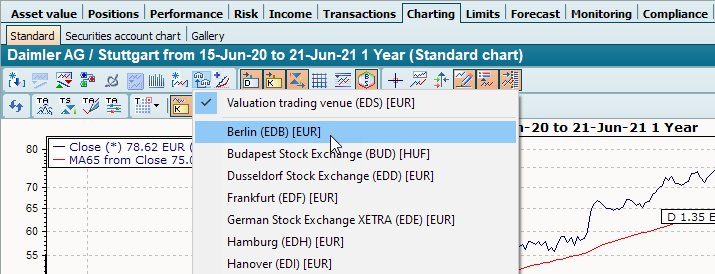
icon_select_trading_venue_EN.png Use the "Change place" icon in the toolbar of the chart to open a menu in which you can select the available stock exchange places or price quotations for the current security with a mouse click and display them in the chart.

PM_chart_select_trading_venue_EN.png

For your information, you will find the currency of the price quote in square brackets next to the individual menu items.

The entry for the standard valuation place of the security is always at the top of the menu.

A tick symbolizes the currently selected seat.