
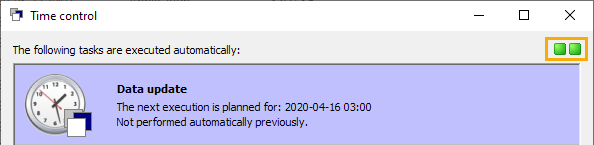
A status icon in the "Time control" dialog box always informs you about the current status of the time control.
The status icons at the top right of the "Time control" dialog box show the following:
|
Display |
Description |
|---|---|
|
Left status icon |
Is the service running? The left-hand status icon should always be green. If this is not the case, start the service via the Windows service administration. |
|
Right status icon |
Is the time control running? This status icon on the right is green if at least one task has already been configured. Time control is only triggered when you exit the "Time control" dialog box with "OK". The right-hand status icon therefore does not change colors during setup.
|
The colors of the status icons mean:
|
Color |
Description |
|---|---|
|
|
Service or time control is running. |
|
|
Service or time control is not running. |
|
|
Status unknown. It may take a few seconds for the status information to be determined and the display to switch to green or red, especially when calling up the time control. |


