
If you have licensed the "Order Entry Service" module, you can select and assign it in the bank details. Proceed as follows:
-
Open the "Bank properties" dialog box for the bank as described in the section Create bank details .
-
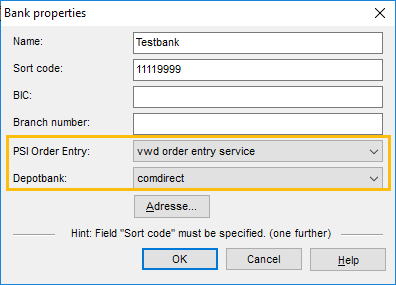
Select the "Order Entry Service" entry in the "PSI Order Entry" selection list.
-
Select the corresponding custodian bank below.
-
Confirm the "Bank properties" dialog box with "OK".
In the "Manage bank details" dialog box, the assigned custodian bank appears in the column of the same name; the bank details are set up for the module.