
If you are using a proxy for the MiFID II services, configure this in the server configuration tool.
Proceed as follows.
-
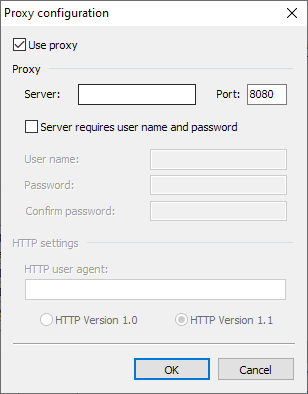
Select the CONFIGURATION, PROXY CONFIGURATION command in the main menu of the tool.
-
Activate the "Use proxy" checkbox and enter the name or IP address of the server and the proxy port.
-
If your proxy server requires authentication, activate the "Server requires user name and password" checkbox and enter the login data below.
-
Confirm your entries with "OK".