
Proceed as follows to open the "Fund structure" report:
-

-
In the open workspace, select the "Funds" worksheet with a mouse click.
-
Select the "Structure" worksheet here.
The "Fund structure" table is opened.
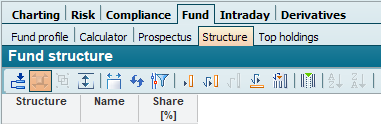
Details of the columns:
|
Column |
Description |
|---|---|
|
Structure |
The table is grouped according to this column. The sectors can be either industries or countries, depending on the information provided. |
|
Designation |
Here you will find the most important sectors (or countries) that make up the fund. |
|
Share [%] |
The column shows the percentage weighting of the sector or country in the total fund assets. The allocation of units by the fund company is not always 100%.
|