
Proceed as follows to create an account (manually):
-
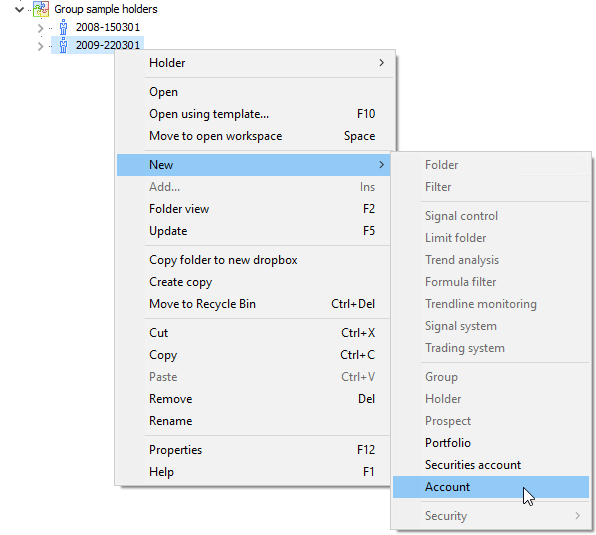
Select the owner or a portfolio and select the command NEW, ACCOUNT in the context menu.

-
You can enter the account data in the following "Account properties" dialog box: Enter the name of the account in the "Account" field and the bank details in the following fields. These entries are absolutely necessary.
-
Select a currency from the list. Attention: The currency cannot be changed later.
-
Complete all the required entries.
The details for these fields can be found in the table in the following section Account properties. -
Select "OK" to confirm. Or select "Cancel" to close the dialog box without applying the changes.