
The "Finder Shares" is a table optimized for searching for shares, which you can use to configure individual search queries via the filter settings. In open security finders, the "Finder Shares" is stored on the worksheet of the same name.

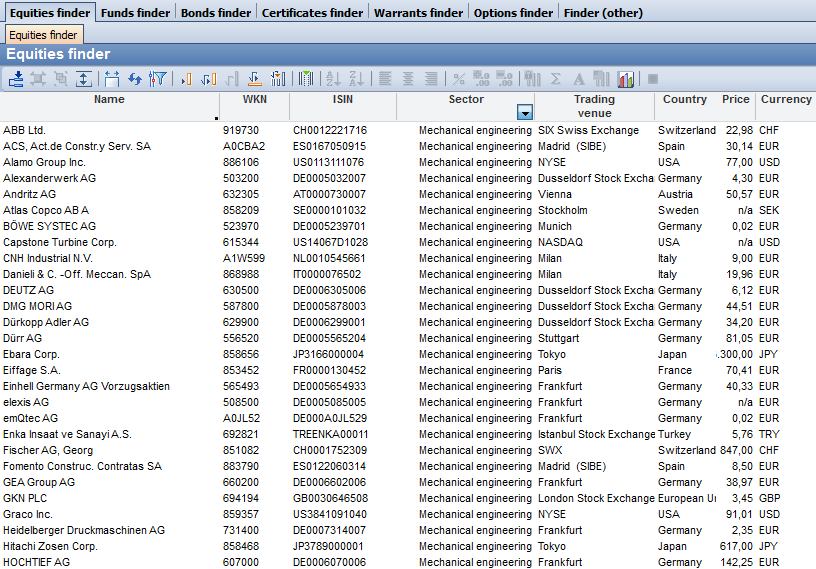
In detail, the "Finder Shares" contains the following columns:
|
Column |
Description |
|---|---|
|
Name |
The name of the share. |
|
WKN |
The WKN from the share's master data. |
|
Security no.
|
The Swiss security number from the share's master data. |
|
MMWKN
|
The MMWKN from the master data of the price quotation (standard valuation place). |
|
ISIN |
The ISIN from the share's master data. |
|
Industry |
The sector from the share's master data. |
|
Stock exchange |
The standard valuation place of the share selected in the master data. |
|
Country |
The country from the share's master data. |
|
Course |
The most recent price of the share on the specified price date. |
|
Course date
|
The most recent price date for the evaluation date entered. |
|
Currency |
The currency from the master data of the price quotation (standard valuation place). |
|
Market segment |
The value of the "Segment" field from the price quotation master data. |
|
Market price risk (EDG risk class) |
The EDG risk class assigned to the share. |
You can use the parameters to select a different evaluation date.