
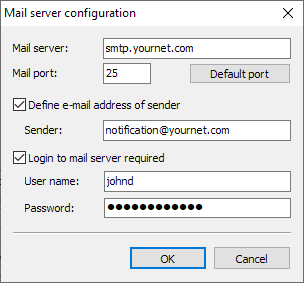
Proceed as follows to configure the e-mail notifications:
-
Select the command CONFIGURATION, CONFIGURE MAIL NOTIFICATION in the main menu of the server configuration tool.
-
In the "Mail server configuration" dialog box that appears, enter the SMTP server and the corresponding port under Mail server and Mail port. If required, a login to the SMTP mail server must be specified.
-
Optionally, enter a sender address to which the notifications should be sent.
-
Confirm your entries in the "Mail server configuration" dialog box with "OK".