-
To move objects to the clipboard, select a folder or filter in the Explorer.
-
open the folder view with the <F2> key.
-

-

-
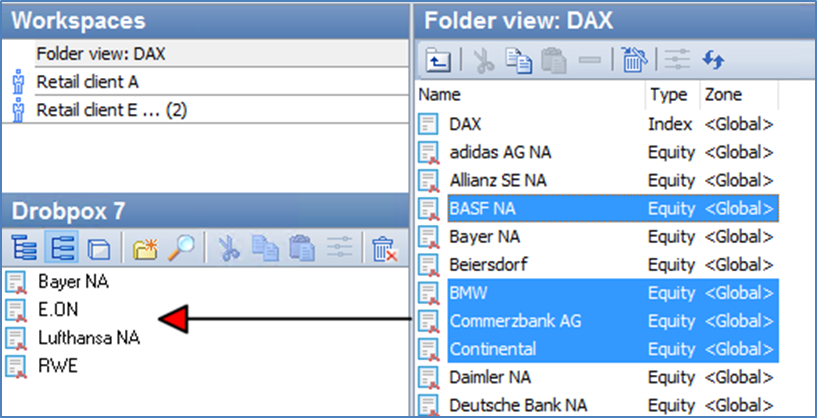
Select the desired objects in the folder view and drag them into the open folder by holding down the left mouse button.