
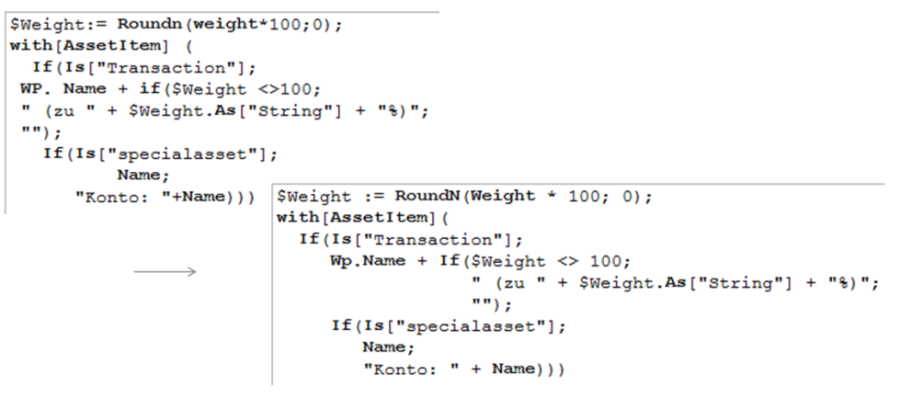
In the formula editor, there is an auto-formatter for formulas in the main menu under EDIT, FORMAT FORMULA or via the key combination <CTRL>+<ALT>+<F>.
Select the key combination <CTRL>+<Q> or the command EDIT, FORMATTING HINT UNDERRETURN in the main menu of the formula editor to prevent deeply nested expressions from moving too far to the right during automatic formatting (auto-formatter). {...} is inserted at the end of the line.