
Module "Portfolio Service Extended Portfolio Analysis"
You can assign supervisors to portfolio profiles. Proceed as follows:
-
On the "Data maintenance" tab, select the PORTFOLIO PROFILE command in the "Manage objects" icon menu.
-
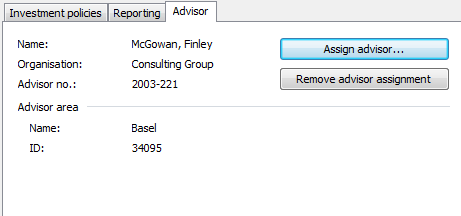
In the "Manage portfolio profiles" dialog box, switch to the "Supervisor" mini-tab. There you will see the data of the currently assigned supervisor.
-
Select the "Assign supervisor..." button.
-
You can select a different supervisor in the "Manage supervisor" dialog box that appears. You can also edit the currently assigned supervisor.
-
Close the "Manage supervisors" dialog box with "OK".
The new data is displayed on the "Supervisors" mini-tab. -
Save your entries with the "Save" button.
-
Close the "Manage portfolio profiles" dialog box with the "Close" button.